## Apex Technology Blog
Apex Technology has been serving the Carolinas since 1998, providing IT Support such as technical helpdesk support, computer support and consulting to small and medium-sized businesses.
[ Categories ](https://trustapex.directivesites.com/blog/categories "Categories")
[ Tags ](https://trustapex.directivesites.com/blog/tags "Tags")
[ Categories: All Categories ](https://trustapex.directivesites.com/javascript:void(0); "Categories")
Search...Suggested keywords
[ x ](https://trustapex.directivesites.com/javascript:void(0);)
# Tip of the Week: Make Your Desktop Icons Bigger (or Smaller)
[Apex Technology Blog ](https://trustapex.directivesites.com/blog/categories/blog) [Tip of the Week](https://trustapex.directivesites.com/blog/categories/tip-of-the-week)
[Tim Campbell](https://trustapex.directivesites.com/blog/blogger/tim-campbell)
Wednesday, 12 April 2023
[ 0 Comments ](https://trustapex.directivesites.com/blog/tip-of-the-week-make-your-desktop-icons-bigger-or-smaller#comments)
[  ](//trustapex.directivesites.com/images/easyblog_shared/April_2023/04-12-23/scalableDesktopIcons_400.jpg "Tip of the Week: Make Your Desktop Icons Bigger (or Smaller)")
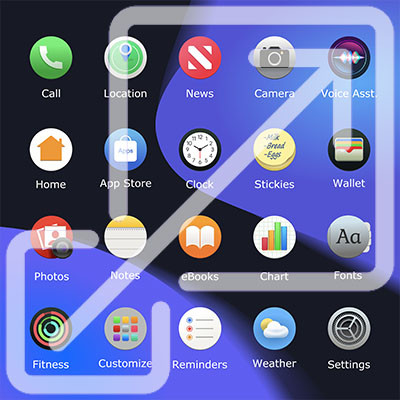
If you frequently use your desktop to store icons and files, and if you’re like most people who do this, you probably have a cluttered desktop that is difficult to manage. While you can and should take time to clean it up from time to time, one quick way you can do so is by adjusting the size of the icons found on your desktop.
## Why Adjust Your Icon Size?
Sometimes you might have a difficult time seeing the icons when they are smaller, particularly if you have poor eyesight or you have a desktop background that makes things a little difficult or contrasting. In cases like this, you can make your icons larger so they stand out more against your background.
In some cases, you might just have too many icons on your desktop that take up a ton of space. You can give yourself more desktop real estate by making the icons smaller. However, in this case, we do highly recommend that you reconsider what you store on your desktop, as if your screen is cluttered with icons in this way, chances are you will only make the problem worse by opening up more space to include even more icons.
## How to Adjust Your Desktop Icon Size
Windows will default to the Medium size for your desktop icons, but if you want to change their size to your preference, it’s easy enough to do. All you have to do is **right-click** anywhere on the desktop and use the **View** option to change the size. You will see options for **Large**, **Medium**, and **Small** icons.
If you’re on a Windows 11 machine, you have some more options at your disposal, too. You can hold down the **Ctrl key** and **scroll up or down** on the mouse wheel to make the icons bigger or smaller than the preset sizes allow.
That’s all there is to it! With a couple of simple tricks at your disposal, you can customize your desktop icons to your preference. For more great tips and tricks, be sure to keep your eyes on our blog.
[ ](https://trustapex.directivesites.com/javascript:void(0);) [ ](https://trustapex.directivesites.com/javascript:void(0);) [ ](https://trustapex.directivesites.com/javascript:void(0);)
Tags:
[Quick Tips](https://trustapex.directivesites.com/blog/tags/quick-tips) [Software](https://trustapex.directivesites.com/blog/tags/software) [Computer](https://trustapex.directivesites.com/blog/tags/computer) [Tip of the Week](https://trustapex.directivesites.com/blog/tags/tip-of-the-week)
[ Perfecting Productivity, Part Two: How to Portion ... ](https://trustapex.directivesites.com/blog/perfecting-productivity-part-two-how-to-portion-out-productivity)
[ Manage and Create More than One Google Calendar ](https://trustapex.directivesites.com/blog/manage-and-create-more-than-one-google-calendar)
About the author
[  ](https://trustapex.directivesites.com/blog/blogger/tim-campbell)
[Tim Campbell](https://trustapex.directivesites.com/blog/blogger/tim-campbell)
[ ](https://trustapex.directivesites.com/blog/blogger/tim-campbell)
Tim Campbell is the President of Apex Technology which he founded in 1998. In 2009, Apex launched its Managed IT Services division. Since its inception, Apex has become the premier Managed IT Services Companies in the Charlotte metro area specializing in Managed IT, Security, Data Backup & Cloud Computing Solutions.
Author's recent posts
[More posts from author](https://trustapex.directivesites.com/blog/blogger/tim-campbell)
[ Wednesday, 05 August 2026 5 Essential Steps to a More Secure Wireless Network ](https://trustapex.directivesites.com/blog/5-essential-steps-to-a-more-secure-wireless-network)
[ Monday, 03 August 2026 Building a Business Workspace That Fits In Your Backpack ](https://trustapex.directivesites.com/blog/building-a-business-workspace-that-fits-in-your-backpack)
[ Friday, 31 July 2026 The Power of Modern VoIP ](https://trustapex.directivesites.com/blog/the-power-of-modern-voip)
Comments
No comments made yet. Be the first to submit a comment
**** Already Registered? [Login Here](https://trustapex.directivesites.com/component/users/login?return=aHR0cHM6Ly90cnVzdGFwZXguZGlyZWN0aXZlc2l0ZXMuY29tL2Jsb2cvdGlwLW9mLXRoZS13ZWVrLW1ha2UteW91ci1kZXNrdG9wLWljb25zLWJpZ2dlci1vci1zbWFsbGVy&Itemid=101)
Wednesday, 05 August 2026
Subscribe to the blog (Please fill in your email address to subscribe to updates from this post.)
**Captcha Image**