## Apex Technology Blog
Apex Technology has been serving the Carolinas since 1998, providing IT Support such as technical helpdesk support, computer support and consulting to small and medium-sized businesses.
[ Categories ](https://trustapex.directivesites.com/blog/categories "Categories")
[ Tags ](https://trustapex.directivesites.com/blog/tags "Tags")
[ Categories: All Categories ](https://trustapex.directivesites.com/javascript:void(0); "Categories")
Search...Suggested keywords
[ x ](https://trustapex.directivesites.com/javascript:void(0);)
# Manage and Create More than One Google Calendar
[Apex Technology Blog ](https://trustapex.directivesites.com/blog/categories/blog) [Tip of the Week](https://trustapex.directivesites.com/blog/categories/tip-of-the-week)
[Tim Campbell](https://trustapex.directivesites.com/blog/blogger/tim-campbell)
Monday, 10 April 2023
[ 0 Comments ](https://trustapex.directivesites.com/blog/manage-and-create-more-than-one-google-calendar#comments)
[  ](//trustapex.directivesites.com/images/easyblog_shared/April_2023/04-10-23/multiple_Calendars_468818814_400.jpg "Manage and Create More than One Google Calendar")
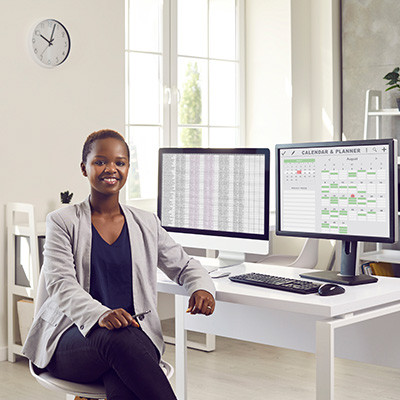
Your Google Calendar is an important part of your productivity practices, but with the help of some additional calendars, you can make managing daily tasks easier than ever. Let’s consider how you can use multiple Google Calendars to be more productive, as well as how you can get them set up.
## Why Do You Need Multiple Calendars?
Using multiple calendars can help you with a variety of tasks. If you have multiple streams of tasks going on around the office from various departments or obligations you have, you can use multiple calendars to split them up and segment them accordingly. You can then toggle these calendars on and off so you can get a good idea of what you need to do and when. Furthermore, you can apply different settings to each calendar, setting them up just the way you need to for each of their specific needs.
## How You Can Set Up Multiple Calendars
To set up your multiple Google calendars, log into your Google account and go to **calendar.google.com**. From here, you can access your settings by clicking on the gear-shaped icon. You’ll find **Settings** under the drop-down menu. Select **Add Calendar** and **Create New Calendar**, then name your new calendar and provide descriptions and time zones for scheduling. Once you’re ready, go ahead and click **Create Calendar**.
Now, you just have to set up your calendar the way you’d like it using the settings available to you. You can now set events on your new calendar using a color-coded display, if needed. You can now toggle calendars on and off to hide events from one calendar to the next. It’s a great way to ensure that you are getting more done by seeing and getting distracted by less.
What do you think? Will you use multiple Google calendars to get more done during the day?
[ ](https://trustapex.directivesites.com/javascript:void(0);) [ ](https://trustapex.directivesites.com/javascript:void(0);) [ ](https://trustapex.directivesites.com/javascript:void(0);)
Tags:
[Google](https://trustapex.directivesites.com/blog/tags/google) [Tip of the Week](https://trustapex.directivesites.com/blog/tags/tip-of-the-week) [How To](https://trustapex.directivesites.com/blog/tags/how-to-1)
[ Tip of the Week: Make Your Desktop Icons Bigger (o... ](https://trustapex.directivesites.com/blog/tip-of-the-week-make-your-desktop-icons-bigger-or-smaller)
[ Perfecting Productivity, Part One: Prescribing Pro... ](https://trustapex.directivesites.com/blog/perfecting-productivity-part-one-prescribing-productivity)
About the author
[  ](https://trustapex.directivesites.com/blog/blogger/tim-campbell)
[Tim Campbell](https://trustapex.directivesites.com/blog/blogger/tim-campbell)
[ ](https://trustapex.directivesites.com/blog/blogger/tim-campbell)
Tim Campbell is the President of Apex Technology which he founded in 1998. In 2009, Apex launched its Managed IT Services division. Since its inception, Apex has become the premier Managed IT Services Companies in the Charlotte metro area specializing in Managed IT, Security, Data Backup & Cloud Computing Solutions.
Author's recent posts
[More posts from author](https://trustapex.directivesites.com/blog/blogger/tim-campbell)
[ Wednesday, 05 August 2026 5 Essential Steps to a More Secure Wireless Network ](https://trustapex.directivesites.com/blog/5-essential-steps-to-a-more-secure-wireless-network)
[ Monday, 03 August 2026 Building a Business Workspace That Fits In Your Backpack ](https://trustapex.directivesites.com/blog/building-a-business-workspace-that-fits-in-your-backpack)
[ Friday, 31 July 2026 The Power of Modern VoIP ](https://trustapex.directivesites.com/blog/the-power-of-modern-voip)
Comments
No comments made yet. Be the first to submit a comment
**** Already Registered? [Login Here](https://trustapex.directivesites.com/component/users/login?return=aHR0cHM6Ly90cnVzdGFwZXguZGlyZWN0aXZlc2l0ZXMuY29tL2Jsb2cvbWFuYWdlLWFuZC1jcmVhdGUtbW9yZS10aGFuLW9uZS1nb29nbGUtY2FsZW5kYXI=&Itemid=101)
Thursday, 06 August 2026
Subscribe to the blog (Please fill in your email address to subscribe to updates from this post.)
**Captcha Image**